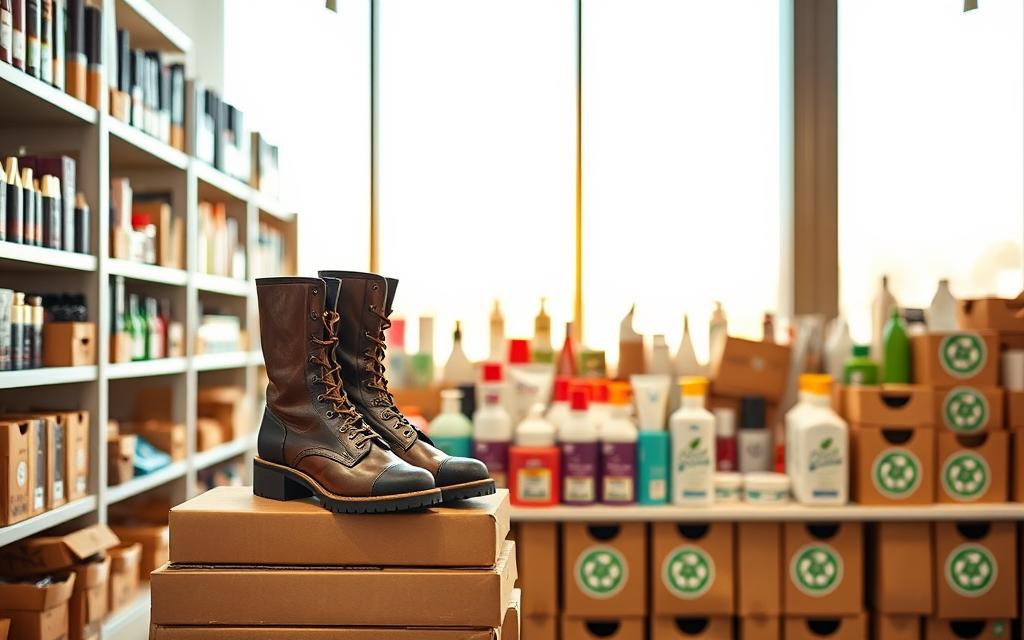
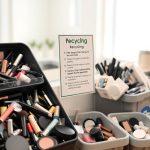
The Boots recycling scheme is revolutionizing the way consumers approach eco-friendliness through technology and rewards. By encouraging customers to recycle their used beauty and skincare containers, Boots is promoting sustainability and reducing landfill waste.
This innovative recycling program is part of Boots’ broader commitment to corporate sustainability. By scanning and recycling qualifying items, customers can earn Advantage Card points. After recycling five or more items and making a qualifying purchase, customers receive £5 worth of points, fostering a sense of community and shared responsibility for the environment.
The scheme is simple: customers scan their recycled items, earn points, and redeem rewards. This tech-driven approach to recycling not only benefits the customer but also contributes to a more sustainable future.
The Boots Scan to Recycle program represents a significant step forward in eco-friendly initiatives, combining technology with environmental responsibility. This program is designed to make recycling easier and more accessible for customers, while also promoting sustainable practices within the beauty industry.
The Concept Behind Scan to Recycle
The concept behind Boots’ Scan to Recycle is to utilize technology to simplify the recycling process. By leveraging a digital platform, customers can easily identify and recycle items that are typically difficult to process through standard recycling channels. This includes mixed-material packaging, such as toothpaste tubes and certain types of cosmetic containers, which often end up in landfills due to the lack of appropriate recycling facilities.
Benefits for Customers and the Environment
The Boots Scan to Recycle program offers dual benefits for both customers and the environment. For customers, the program provides a financial incentive: earning £5 worth of Advantage Card points (500 points) after recycling just 5 items and making a qualifying purchase. These rewards can be used toward future purchases, effectively creating a discount system for environmentally conscious consumers.
The program helps reduce the beauty industry’s significant contribution to plastic pollution by ensuring proper recycling of difficult-to-recycle items.
It educates consumers about which items can and cannot be easily recycled at home, promoting better recycling practices.
By integrating recycling into regular shopping routines, the program makes environmental action more accessible and convenient.
The scheme creates a positive feedback loop: environmental action leads to rewards, which encourages more environmental action.
Overall, the Boots Scan to Recycle program is a scheme that not only benefits customers financially but also contributes to a more sustainable future by reducing waste and promoting recycling.
How to Scan to Recycle Boots Products: Getting Started
Getting started with Boots Scan to Recycle is straightforward and requires just a few steps. To begin, you’ll need to create an account, link your Boots Advantage Card, and familiarize yourself with the user interface, whether you’re using the dedicated app or the website.
Creating Your Account
To create an account, you’ll need to provide some basic information. This includes your name, email address, and a password. You can do this through either the Boots Scan to Recycle website or the mobile app. Having an account allows you to track your recycling history and rewards. Once you’ve registered, you’ll receive a confirmation email to activate your account.
Linking Your Boots Advantage Card
Linking your Boots Advantage Card to your Scan to Recycle account is a crucial step. It enables you to earn Advantage Card points for every item you recycle. To link your card, simply log in to your account, navigate to the settings or profile section, and follow the prompts to enter your Advantage Card details. This process is straightforward and only takes a minute.
Navigating the App vs. Website Interface
The Boots Scan to Recycle program is accessible through both a mobile app and a website. The app offers a more streamlined and intuitive experience, with a more extensive brand database that makes identifying products easier. The website, which opens in a new window, functions similarly but may feel less responsive. Key differences include how notifications are handled and the camera functionality for scanning products. When using the app on your phone, you’ll find it easier to scan products and receive notifications about your recycling status. The app makes this scheme even easier to use than the website, which operated like a clunky app.
The app provides a more user-friendly experience compared to the website.
The expanded brand database in the app makes product identification easier.
Notifications and camera functionality differ between the app and website.
Step-by-Step Guide to Scanning Your Empties
Scanning your empties is a straightforward process that requires attention to detail to ensure your items are approved for recycling. By following the steps outlined below, you can maximize your rewards and contribute to a more sustainable environment.
Taking Clear Photos of Products
To begin, you’ll need to take clear, well-lit photos of your empty product containers. Ensure that the product label and any relevant details are visible. This will help the system accurately identify the product and determine its eligibility for recycling. It’s recommended to take photos against a plain background to avoid any confusion.
Selecting Product Details and Categories
After taking the photos, you’ll need to select the product details and categories that match the items you’re submitting. This step is crucial for ensuring that your empties are correctly identified and approved for recycling. Be precise when selecting the product category, as this will directly impact the approval process.
Tips for Getting Your Items Approved
To increase the likelihood of your items being approved, ensure that they are not easily recycled at home. The Boots Scan to Recycle program focuses on hard-to-recycle items such as mixed-material packaging, pumps, and colored plastics. Everyday items like toothpaste tubes, deodorant containers, and sheet mask packaging are excellent candidates for approval. Avoid submitting items that are not accepted, such as aerosols, medicines, perfumes, and nail polish, as they will be rejected.
By following these steps and tips, you can efficiently scan your empties and contribute to the recycling program. Check the status of your submissions through the home screen, which displays totals for approved, pending, and rejected items.
What Items Can You Recycle Through the Program?
To effectively use the Boots Scan to Recycle program, it’s vital to understand the types of items that can be recycled. The program is designed to accept a variety of beauty and skincare packaging, making it a valuable resource for reducing waste.
Accepted Beauty and Skincare Packaging
The Boots Scan to Recycle program primarily accepts packaging from beauty and skincare products. This includes containers and packaging from products sold by Boots, making it a convenient way to recycle items you already use.
Product Type
Accepted Packaging
Skincare
Bottles, jars, and tubes
Makeup
Compact cases, palettes, and applicators
Haircare
Bottles, tubes, and caps
Items That Cannot Be Recycled Through Boots
Not all items are eligible for the Boots Scan to Recycle program. Aerosols, medicines, perfumes, and nail varnish are excluded due to their hazardous nature or the difficulty in recycling them. Additionally, items that can be “easily recycled at home”, such as standard plastic bottles and containers accepted by municipal recycling programs, are also declined.
Some confusion arises around materials like black plastic, which is not easily recyclable through conventional means but is also not accepted by the Boots program. For such items, alternative recycling options should be explored.
By focusing on hard-to-recycle items, the Boots Scan to Recycle program remains effective in addressing packaging that would otherwise end up in landfills, thus supporting a more sustainable approach to beauty and skincare product disposal.
Depositing Your Recyclables at Boots Stores
Once you’ve accumulated your recyclable items, the next step is to deposit them at a participating Boots store. This process is straightforward, thanks to the guidance provided through the Boots app.
Finding Participating Stores
To find a nearby Boots store that participates in the Scan to Recycle program, you can use the store locator feature on the Boots website or app. Simply enter your location or postcode, and the app will display the nearest stores that are part of the scheme.
The Deposit Process Using the App
When you’re ready to deposit your recyclables, open the Boots app and navigate to the Scan to Recycle section. Here, you’ll find the QR code associated with the recycling bin at your chosen store. Scan this code to initiate the deposit process. Ensure your items are correctly identified and counted through the app before completing the transaction.
Common Issues and Troubleshooting
Some users have encountered issues when scanning the QR code on the recycling bins. A simple solution is to move your phone slowly back and forth over the code until it’s recognized. Additionally, ensure your camera lens is clean to avoid any scanning issues. If you experience difficulties with the app, such as crashes or freezes during the deposit process, try restarting the app. If problems persist, contact Boots customer support for assistance.
It’s also worth noting that most Boots stores offer free WiFi, which can be helpful if you’re in an area with poor cellular reception. This ensures a smooth experience when using the app to make your deposit.
Redeeming Your Recycling Rewards
To maximize your benefits from the Boots Scan to Recycle program, understanding how to redeem your recycling rewards is crucial. The program is designed to reward customers not only for their eco-friendly actions but also for their loyalty. By recycling their empty beauty and skincare products, customers can earn points that can be redeemed in-store.
Understanding the £5 Worth of Advantage Card Points
The Boots Scan to Recycle program awards £5 worth of Advantage Card points for every eight items recycled. These points can be used in conjunction with other promotions and offers available through the Boots app. For instance, customers have stacked their £5 recycling points with a £3 offer for buying selected products, effectively getting £8 in points for a purchase worth around £12.
How to Use Your Rewards In-Store
Using your rewards in-store is straightforward. Once you have accumulated £5 worth of points, you can redeem them during your purchase. The points are directly deducted from your total bill, making it a seamless process. It’s essential to ensure that you’re also taking advantage of other ongoing offers to maximize your savings.
Maximizing Your Benefits Through Strategic Shopping
Strategic shopping can significantly enhance the benefits you derive from the Boots Scan to Recycle program. By planning your purchases around the promotions available on the Boots app, you can stack your recycling rewards with other offers. For example, buying products that are on sale or offer bonus points can increase your overall savings. Additionally, timing your recycling deposits around major sales events can help you get the most value from both the discounted products and the points earned.
Product Category
Bonus Points Offered
Potential Savings
Skincare
3x points on selected brands
Up to £10 on a £30 purchase
Makeup
2x points on all products
Up to £5 on a £25 purchase
Haircare
5x points on premium brands
Up to £15 on a £30 purchase
By understanding how to redeem your recycling rewards and combining them with strategic shopping, you can significantly reduce your spending on beauty, skincare, and everyday essentials while supporting environmental sustainability.
Conclusion: Making the Most of Boots Scan to Recycle
The Boots Scan to Recycle program offers a revolutionary way to recycle difficult-to-dispose-of beauty and skincare products. By following a simple five-step process – creating an account, scanning empties, getting approval, depositing at a store, and earning rewards – customers can contribute to a more sustainable future while enjoying financial benefits.
The program specifically addresses hard-to-recycle items like toothpaste tubes, pump dispensers, and mixed-material packaging that would otherwise end up in landfills. For every 5 items recycled, customers earn £5 worth of Advantage Card points, potentially saving up to £40 per month for regular participants.
Since its launch, the Boots Scan to Recycle scheme has evolved significantly, particularly with the introduction of the dedicated Boots app, which has streamlined the process. To maximize both environmental impact and rewards, customers are encouraged to incorporate this recycling habit into their regular shopping routine, planning store visits accordingly.
By combining recycling rewards with other Boots promotions, customers can enhance their savings. To get started, readers can download the Boots app or visit the website. With the Boots Scan to Recycle program, customers can make a positive impact on the environment while enjoying financial benefits, making it a worthwhile initiative for those looking to adopt a more sustainable lifestyle.
FAQ
What products are eligible for the Boots Scan to Recycle program?
The program accepts various beauty and skincare packaging, including empty product containers and certain types of toothpaste tubes. You can check the Boots app or website for a comprehensive list of accepted items.
How do I link my Boots Advantage Card to the recycling program?
To link your Boots Advantage Card, simply log in to your account on the Boots app or website, navigate to the recycling section, and follow the prompts to connect your card. This will allow you to earn Advantage Card points for your recyclables.
What is the deposit process using the Boots app?
To deposit your recyclables, open the Boots app, navigate to the recycling section, and select the items you wish to recycle. Take a clear photo of the product, and the app will guide you through the deposit process. You can then take your recyclables to a participating Boots store.
How do I know if my local Boots store is participating in the recycling program?
You can find participating Boots stores by using the store locator on the Boots website or by checking the Boots app. Simply enter your location or postcode, and the app will show you nearby stores that are part of the recycling program.
Can I recycle products from other brands through the Boots Scan to Recycle program?
Yes, the program accepts products from various brands, not just Boots. However, it’s essential to check the Boots app or website for a list of accepted products and brands to ensure that your items are eligible for recycling.
How are my recycling rewards calculated, and what can I redeem them for?
For every item you recycle, you’ll earn £5 worth of Boots Advantage Card points. You can redeem these points in-store or online, and they can be used towards purchases at Boots.
Are there any issues with using the Boots app for recycling, and how can I troubleshoot them?
Common issues with the app include poor image quality or difficulties with product identification. To troubleshoot, ensure that you take clear photos of your products, and check that the product details are accurate. If issues persist, you can contact Boots customer support for assistance.
Exploring PVC recyclability is key to developing sustainable disposal methods. Polyvinyl chloride, or PVC, is extensively used worldwide. However, less than 0.25% of used PVC…
The eyewear industry is often overlooked in discussions about sustainability, yet it is a major contributor to global plastic waste and carbon emissions. From…
As the world shifts towards more sustainable practices, recycling has become an essential part of daily life. In the United States, numerous facilities are dedicated…
Recycling hearing aids is an environmentally friendly way to dispose of outdated or unused devices. Boots offers a comprehensive hearing aid recycling program, allowing customers…
Managing household waste effectively is crucial for maintaining a clean and sustainable environment. Understanding your specific bin collection schedule is essential for preventing overflow and…
Over 1 billion people worldwide lack proper eye care. Donating your used eyeglasses can change lives. Charities in the UK and beyond collect, clean, and…
We use cookies on our website to give you the most relevant experience by remembering your preferences and repeat visits. By clicking “Accept”, you consent to the use of ALL the cookies.
This website uses cookies to improve your experience while you navigate through the website. Out of these cookies, the cookies that are categorized as necessary are stored on your browser as they are essential for the working of basic functionalities of the website. We also use third-party cookies that help us analyze and understand how you use this website. These cookies will be stored in your browser only with your consent. You also have the option to opt-out of these cookies. But opting out of some of these cookies may have an effect on your browsing experience.
Necessary cookies are absolutely essential for the website to function properly. This category only includes cookies that ensures basic functionalities and security features of the website. These cookies do not store any personal information.
Any cookies that may not be particularly necessary for the website to function and is used specifically to collect user personal data via analytics, ads, other embedded contents are termed as non-necessary cookies. It is mandatory to procure user consent prior to running these cookies on your website.
We use cookies to ensure that we give you the best experience on our website. If you continue to use this site we will assume that you are happy with it.