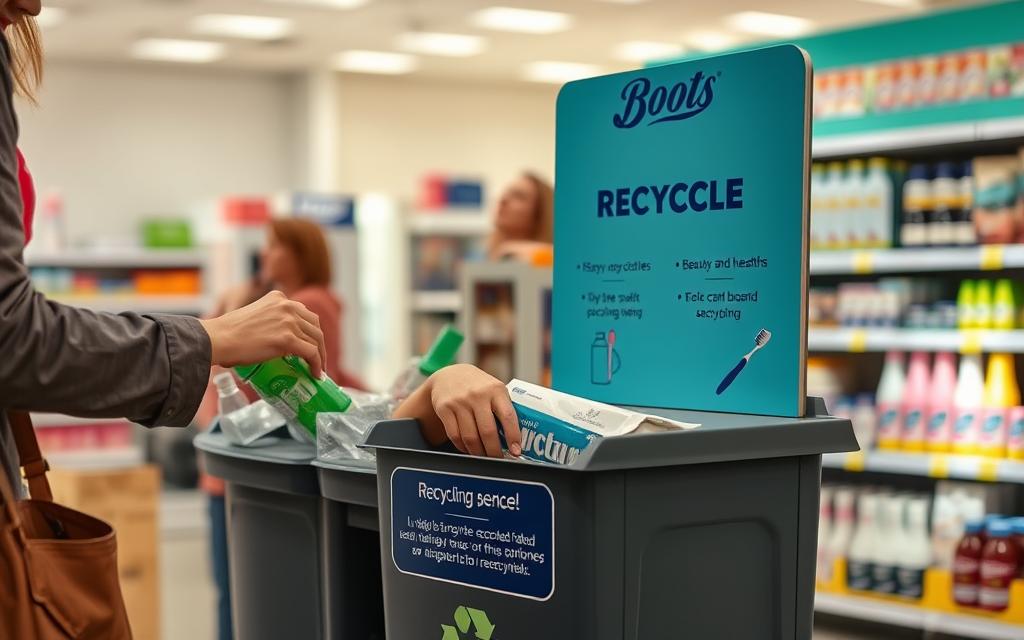
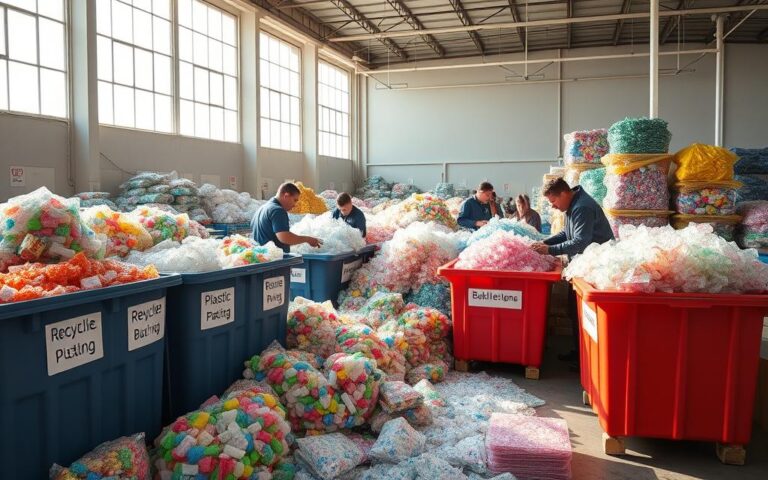
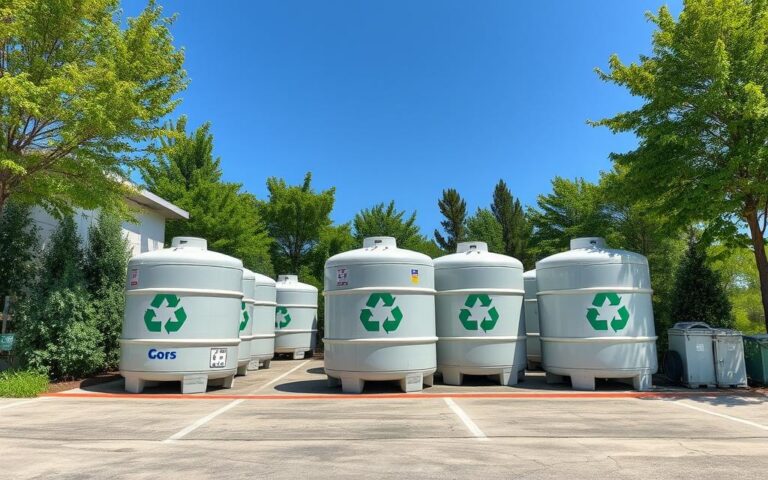
The program is designed to encourage customers to recycle their empty skincare and beautyitems in-store, promoting a reduction in waste and fostering eco-friendly practices.
To get started, customers need to be a member of the Boots Advantage Card program, which is free to join.
Upon recycling five or more qualifying items and making a purchase of £10 or more within three days, customers can receive £5 worth of Advantage Card points.
The Boots recycling scheme is an innovative program designed to encourage customers to recycle their empty beauty and skincare products. This initiative not only promotes sustainability but also rewards customers for their participation.
The Boots Recycling Program
The Boots Recycling Program is a simple and effective way for customers to recycle their used packaging. By participating in this program, customers can contribute to reducing waste and promoting eco-friendly practices. The program accepts various beauty and skincare products, making it easy for customers to participate.
Benefits of Recycling with Boots
Recycling with Boots offers several benefits. Not only do customers receive reward points, but they also contribute to a more sustainable environment. By recycling their empty products, customers help reduce the amount of waste that ends up in landfills.
The benefits of the program can be summarized as follows:
Earn Advantage Card points for recycling eligible items.
Contribute to reducing waste and promoting sustainability.
Simple and convenient recycling process.
How the Reward System Works
The reward system is designed to incentivize customers to recycle more. Here’s how it works: after recycling 5 qualifying items and making a purchase of £10 or more within 3 days, customers receive 500 Advantage Card points, equivalent to £5. The reward voucher is sent in the form of a barcode on their phone, which must be scanned at checkout along with their Boots Advantage card.
Customers can make up to 8 deposits per month, potentially earning up to £40 in points monthly if they regularly recycle. This system encourages customers to continue recycling and making purchases at Boots.
To maximize the benefits, customers should ensure they meet the purchase requirement within the specified timeframe and keep track of their recycling history.
What You’ll Need Before Getting Started
Getting started with the Boots recycling program involves a few simple preparations. To participate, you’ll need to set up a few things beforehand.
Creating a Boots Advantage Card Account
To begin, you’ll need to create a Boots Advantage Card account if you haven’t already. This account is crucial for tracking your recycling history and redeeming rewards. Signing up is straightforward and can be done online or in-store.
Downloading the Recycle at Boots App
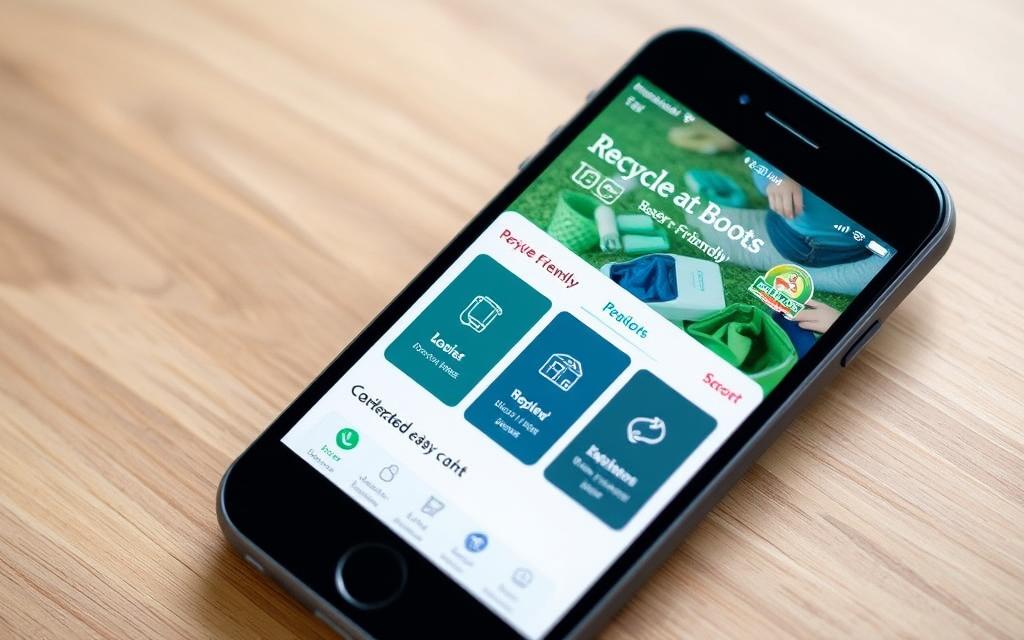
The Recycle at Boots app is essential for registering your empty products. Downloading the app is the next step after creating your Boots Advantage Card account. The app is available for both iOS and Android devices.
Before you can start recycling, you’ll need to collect your empty beauty and skincare products. Focus on gathering items that are difficult to recycle through regular household recycling, such as mixed-material packaging. This includes a range of skincare and beauty empties like cleanser tubes, serum bottles, moisturizer tubs, and night cream pots.
To prepare your items for recycling, make sure to remove as much product residue as possible and keep caps and pumps attached. Creating a dedicated collection spot at home can help you accumulate empties until you reach the minimum of 5 items needed for a deposit.
Products Eligible for the Boots Recycling Program
The Boots recycling program is designed to accept various beauty and skincare products from multiple brands, making it a comprehensive initiative for consumers looking to recycle their used products.
Accepted Beauty and Skincare Items
Boots accepts a wide range of beauty and skincare products for recycling. This includes items such as:
Face creams and moisturizers
Shampoos and conditioners
Body washes and lotions
Makeup and makeup removers
Sunscreen products
These products can be from brands sold at Boots or other recognized retailers. The program’s flexibility encourages consumers to recycle more, reducing waste and promoting sustainability.
Products That Cannot Be Recycled
While the Boots recycling program is inclusive, there are certain products that cannot be recycled through this initiative. These typically include:
Products with aerosol components
Items with broken or missing packaging
Non-beauty or skincare products
It’s essential to check the product categories accepted by the program to ensure that your items are eligible for recycling.
Brands Accepted in the Program
The Boots recycling program is not limited to products sold exclusively at Boots. It also accepts items from other well-recognized brands in the beauty and skincare industry, such as those found at Superdrug, Holland & Barrett, and other high street stores.
Brand
Accepted Products
Boots
Skincare, makeup, haircare
Superdrug
Skincare, fragrances, cosmetics
Holland & Barrett
Vitamins, supplements, wellness products
As long as the product falls within the accepted categories, the brand is recognized, and the packaging is appropriate, it can be recycled through the Boots program.
“Recycling is a crucial step towards reducing waste and promoting sustainability in the beauty industry. By accepting products from various brands, Boots is making a significant contribution to this cause.”
In conclusion, the Boots recycling program offers a broad range of accepted products, making it a valuable service for consumers. By understanding what products are eligible, consumers can maximize their participation and contribute to a more sustainable future.
How to Recycle at Boots: Step-by-Step Process
To make the most of the Boots recycling scheme, follow this step-by-step guide. The process is designed to be straightforward, and by the end of this section, you’ll be ready to start recycling your beauty and skincare products.
Setting Up Your Recycling Account
The first step in recycling at Boots is to set up your recycling account. This involves downloading the Recycle at Boots app and creating an account. To do this, follow these steps:
Download the Recycle at Boots app from the App Store or Google Play.
Open the app and select “Create Account.”
Enter your email address and password to register.
Verify your email address by clicking on the link sent by Boots.
Linking Your Boots Advantage Card
To link your Boots Advantage Card to your recycling account, follow these steps:
Log in to your Recycle at Boots account.
Navigate to the “Settings” or “Account” section.
Select “Link Advantage Card” and enter your card details.
Confirm that your card is linked successfully.
Linking your Advantage Card is crucial as it allows you to earn points for every item you recycle, which can be redeemed against your purchases.
Navigating the Scan2 Recycle Interface
The Scan2 Recycle interface is user-friendly and designed to guide you through the recycling process. Here’s how to navigate it:
Open the Recycle at Boots app and log in.
Select “Scan2 Recycle” from the main menu.
Follow the prompts to scan the barcodes of the products you wish to recycle.
Confirm the products you’ve scanned and proceed to the next step.
Troubleshooting Common Setup Issues
While the setup process is generally smooth, some users may encounter issues. Here are some common problems and their solutions:
Issue
Solution
App installation problems
Try restarting your device or downloading the app from a different source.
Account creation errors
Check that your email address is not already registered and that your password meets the requirements.
Difficulties linking the Advantage Card
Ensure your card details are correct and that your card is active.
Most setup issues have simple solutions. If you’re still experiencing problems, consider contacting Boots customer support for assistance.
Photographing and Registering Your Empties
To start the recycling process at Boots, you’ll first need to take clear, well-lit photos of your empty products. This step is crucial as it allows the Boots recycling team to identify and approve your items for recycling.
Taking Clear Photos of Products
When photographing your empties, ensure that the images are clear and well-lit. The product name and any relevant branding should be visible. Good lighting is essential to ensure that the image is not blurry or obscured. You can use natural light or a well-lit area to take the photos.
Selecting Product Categories and Types
After taking the photos, you’ll need to categorize the products through the app. This involves selecting the product category (e.g., skincare, makeup, etc.) and specifying the product type. Accurate categorization is important for the approval process.
Submitting Items for Approval
Once you’ve taken the photos and categorized the products, you can submit them for approval. The submitted items will enter a “pending” status while they await review by the Boots recycling team. You can check the status of your submissions through the app or website interface.
Status
Description
Typical Timeframe
Pending
Items are awaiting review
Within 24 hours
Approved
Items have been accepted for recycling
Usually within 2 hours to 24 hours
Rejected
Items are not suitable for recycling
Notification provided upon rejection
If an item is rejected, you can understand the reason through the app or website. You may be able to resubmit the item with better photos or categorization.
By following these steps, you can efficiently photograph and register your empties for the Boots recycling program.
Understanding the Approval Process
Understanding how the approval process works is essential for a smooth recycling experience with Boots. After you’ve uploaded photos of your empty products, they need to be approved before they’re added to your digital “bank.” This step ensures that only eligible items are accepted for recycling.
Approval Timeline
The time it takes for your items to be approved can vary. Typically, the approval process is quick, but it may take a few days for your items to be reviewed. You can track the status of your submissions by checking the totals of accepted, pending, and rejected items on the home screen of the Recycle at Boots app.
Reasons for Rejection
Items may be rejected if they are not recognized by the system or do not meet the recycling criteria. Common reasons include poor image quality, incorrect product categorization, or the item not being part of the Boots recycling program. Ensuring that your photos are clear and that you’ve selected the correct product category can help minimize rejections.
Managing Your “Bank” of Approved Items
Once your items are approved, they are stored in your digital “bank.” You can view your bank by navigating to the relevant section in the app. Here, you’ll find all your approved items waiting to be deposited at a recycling bin. It’s a good practice to keep track of the items in your bank and ensure you have the physical products ready for deposit.
Managing your bank efficiently involves regularly checking your approved items and planning when to make your deposit. There’s no time limit for keeping items in your bank, offering you flexibility in when you recycle your empties.
Status
Description
Action Required
Pending
Items waiting for approval
None, wait for approval
Approved
Items approved for recycling
Deposit at a recycling bin
Rejected
Items not eligible for recycling
Check reasons for rejection and retry
Tip: Regularly reviewing your bank and depositing your approved items can help you stay on top of your recycling and maximize your rewards.
Finding Participating Boots Stores
Boots has made it easy to find a store where you can recycle your empty beauty products. The key is to use their store locator tool, which helps you identify participating stores near you.
Using the Store Locator
The Boots store locator is a powerful tool that not only helps you find stores but also identifies those that are part of the recycling program. To use it, simply visit the Boots website or open the Boots app, navigate to the store locator section, and enter your location details.
Where to Find Recycling Bins In-Store
Once you’ve arrived at a participating Boots store, look for the designated recycling bins. These are typically located near the beauty or skincare section. If you’re having trouble finding them, don’t hesitate to ask a store staff member for assistance.
Planning Your Store Visit
To make the most of your trip, consider combining your recycling with your regular shopping. This not only saves you time but also helps you meet the £10 purchase requirement needed to redeem your reward points. Before heading to the store, ensure you have at least 5 approved items ready for deposit.
Tips for a Smooth Visit:
Check the store hours to avoid peak shopping times.
Have the Boots app or website open on your mobile device and logged in before you arrive.
Ensure your approved items are easily accessible to save time during the deposit process.
By following these steps, you can efficiently recycle your empty beauty products at Boots while also making the most of your shopping experience.
Depositing Your Recyclables In-Store
Once you’ve gathered your empty beauty products, it’s time to deposit them at your local Boots store. This step is crucial in completing the recycling process and earning your rewards.
Preparing Your Items for Deposit
Before heading to the store, ensure you have selected the items you wish to deposit from your digital bank. This step is essential as it confirms which items you’re physically depositing.
Scanning the QR Code at the Recycling Bin
Upon arriving at the Boots store, locate the recycling bin and scan the QR code displayed on it. Make sure your location settings are enabled on your device to ensure the correct bin is identified.
Completing the Deposit Process
After scanning the QR code, follow the in-app instructions to confirm your deposit. You’ll need to select the items you’re depositing from your digital bank and click “deposit” to complete the recycling process. Upon successful deposit, you’ll receive a confirmation message and your rewards will be credited to your account.
Step
Description
1
Select items to deposit from your digital bank
2
Scan the QR code at the recycling bin
3
Confirm your deposit in the app
4
Receive your rewards
By following these simple steps, you’ll not only be contributing to a more sustainable environment but also earning rewards through the Boots recycling program. The process is designed to be straightforward, ensuring that you can easily complete your recycling and enjoy the benefits.
Redeeming Your Rewards
With your points in hand, it’s time to learn how to redeem your Boots recycling rewards effectively. The process involves a few straightforward steps that we’ll guide you through.
Accessing Your Reward Voucher
First, ensure you have access to your reward voucher through the Boots recycling app or website. This voucher is essential for redeeming your points in-store.
Meeting the £10 Spending Requirement
To redeem your rewards, you’ll need to make a purchase of at least £10. This can include any products available at Boots. Make sure to select your items and proceed to the checkout.
Using Your Points In-Store
At the checkout, the process involves scanning your Boots Advantage Card first, followed by the items you’re purchasing, and finally scanning the reward voucher barcode on your phone. It’s crucial to follow this order to ensure your points are correctly applied.
Some cashiers might not be entirely familiar with this process, so don’t hesitate to guide them through it. After the scan, verify that the £5 reward (500 points) has been added to your receipt. This step is important to confirm that your reward has been successfully applied.
Once the reward is added, the points will be credited to your Boots Advantage Card. These points remain on your card for future purchases, allowing you to use them at your convenience.
Here’s a quick summary of the steps:
Access your reward voucher through the app or website.
Make a purchase of at least £10.
Scan your Boots Advantage Card, then your purchases, and finally the reward voucher barcode.
Verify that the reward has been added to your receipt.
By following these steps, you can seamlessly redeem your rewards and continue enjoying the benefits of the Boots recycling program.
Maximizing Your Boots Recycling Benefits
To get the most out of the Boots recycling program, it’s essential to understand how to maximize your benefits. By doing so, you can make the most of your recycling efforts and earn significant rewards.
Tracking Your Recycling History
One of the key aspects of maximizing your benefits is to keep track of your recycling history. The Boots recycling app allows you to monitor your progress, view your past deposits, and plan your future recycling activities. By regularly checking your account, you can ensure that you’re making the most of the program.
Combining with Other Boots Promotions
Boots frequently runs various promotions and offers that can be combined with the recycling program. By taking advantage of these deals, you can increase your overall savings and rewards. It’s worth checking the Boots website or app regularly to stay informed about the latest offers.
Monthly Recycling Limits
It’s crucial to be aware of the monthly recycling limits to maximize your benefits. You can make up to 8 deposits per month, with each deposit requiring a minimum of 5 items. This means you can potentially earn up to 4,000 points (worth £40) if you make all 8 deposits and meet the spending requirements.
To work within these limits, consider planning your deposits throughout the month. Spacing out your recycling activities can help you stay within the allowed limits while maximizing your rewards. The monthly cycle resets on the same day you made your first deposit, so it’s essential to keep track of this date to plan your recycling activities accordingly.
For example, if you made your first deposit on the 1st of the month, you can make up to 8 deposits before the 1st of the next month. By doing so, you can ensure that you’re making the most of the program and earning the maximum rewards possible.
By understanding and working within the monthly recycling limits, you can optimize your recycling experience at Boots and enjoy the rewards that come with it.
Common Questions and Troubleshooting
To ensure a seamless recycling experience with Boots, it’s helpful to address some frequently asked questions and common issues. The Boots recycling program is designed to be user-friendly, but like any program, it may raise some questions or require troubleshooting.
Technical Issues with the App or Website
If you’re experiencing technical difficulties with the Boots recycling app or website, there are a few steps you can take to resolve the issue. First, ensure that your app is updated to the latest version. Sometimes, simply restarting your device or clearing the app cache can resolve the problem. If issues persist, contacting Boots customer support can provide further assistance.
Common technical issues include:
Login problems
App crashing
Difficulty in registering products
Problems with Reward Points
Understanding how the reward system works is crucial to maximizing your benefits from the Boots recycling program. Recently, there have been changes to the program, such as the adjustment in points earned per pound of recyclables from 4 points to 3 points as of May 2023. This change affects how many points you earn for your recyclables.
For instance, with the updated rate, £1 is equivalent to 3 points, or £0.03 per point. While this change might seem minor, it’s essential to understand that you can still make up to 8 drop-offs a month, maximizing your rewards.
Changes to the Recycling Program
The Boots recycling program is not static; it evolves based on various factors, including environmental impact and customer feedback. Recent changes, such as the adjustment in the points earning rate, demonstrate this evolution. Staying informed about these changes is crucial to continuing to benefit from the program.
To stay updated, regularly check the official Boots communications, including their website and app notifications. These channels will inform you about any future changes to the recycling scheme, ensuring you can adapt and continue to recycle effectively.
Key points to remember:
The core concept of recycling beauty and skincare packaging for rewards remains consistent.
Regularly check for updates on the Boots recycling program.
Maximize your rewards by understanding the current earning rate and drop-off limits.
Environmental Impact of the Boots Recycling Program
The environmental benefits of recycling beauty products through Boots are multifaceted and significant. By participating in this program, consumers can contribute to a more sustainable future.
What Happens to Your Recycled Items
When you recycle your beauty and skincare products through Boots, they are processed through specialized recycling facilities. These facilities are equipped to handle complex packaging that traditional recycling programs often cannot.
Recycling Process:
Collected items are sorted based on material type.
Items are processed into raw materials that can be used to manufacture new products.
The raw materials are then sold to manufacturers, reducing the need for virgin materials.
How Recycling Beauty Products Helps the Environment
Recycling beauty products helps the environment in several key ways:
Reduces Waste: By recycling difficult-to-recycle items like toothpaste tubes and mixed-plastic packaging, we reduce the amount of waste sent to landfills.
Conserves Resources: Recycling helps conserve natural resources by reusing materials that would otherwise be extracted and processed.
Decreases Pollution: The production of new materials often results in pollution. By recycling, we decrease the need for new production, thereby reducing pollution.
For instance, recycling toothpaste tubes, which are typically made from a mix of plastic and metal, helps keep these complex materials out of landfills. This not only conserves the materials but also reduces the environmental impact associated with producing new packaging.
By participating in the Boots Recycling Program, consumers are part of a larger movement towards sustainability in the beauty industry. Every small action counts, and collectively, these actions can lead to significant positive change.
Conclusion
As we wrap up our exploration of the Boots recycling scheme, it’s clear that this program offers a straightforward way to make a positive impact on the environment. By participating, consumers can contribute to a more sustainable future while earning points for their purchases.
The Boots recycling program is designed to make recycling beauty and skincareitems easy and rewarding. By following the simple steps outlined in this article, you can start recycling your empty products and earning rewards today.
In conclusion, the Boots recycling scheme provides a unique opportunity to reduce waste while benefiting from your purchases. We encourage you to join the program, start collecting your empties, and begin recycling at Boots. Not only will you be contributing to a more sustainable environment, but you’ll also earn rewards that can be used on future purchases.
FAQ
What types of products are accepted in the Boots Recycling Program?
The program accepts a range of beauty and skincare items, including empty product packaging, skincare essentials, and certain types of bottles and toothpaste tubes.
Do I need to have a Boots Advantage Card to participate in the recycling scheme?
Yes, you need to create a Boots Advantage Card account to participate in the recycling program and earn reward points.
How do I find participating Boots stores with recycling bins?
You can use the store locator on the Boots website or through the Recycle at Boots app to find stores with recycling bins.
What happens to the products I deposit into the recycling bins?
The deposited products are processed for recycling, helping to reduce waste and minimize environmental impact.
How long does it take to get my reward points approved?
Approvals typically take a few days, but the exact timeframe may vary depending on the product and submission details.
Can I combine my reward points with other Boots promotions?
Yes, you can often combine your reward points with other promotions, but it’s best to check the terms and conditions for specific details.
Are there any limits to the number of items I can recycle per month?
Yes, there are monthly recycling limits, so be sure to check the program details for the most up-to-date information.
What if I encounter technical issues with the Recycle at Boots app or website?
If you experience technical issues, you can try troubleshooting steps or contact Boots customer support for assistance.
Can I track my recycling history through the Boots app?
Yes, you can track your recycling history and view your reward points through the Recycle at Boots app.
Styrofoam, also known as expanded polystyrene (EPS), is used in many things like food containers and insulation. But, it’s a big problem for the environment…
Bubble wrap protects fragile items but poses environmental concerns. Its recycling is possible, yet not by simple means. Usually, you can’t put it with regular…
We use cookies on our website to give you the most relevant experience by remembering your preferences and repeat visits. By clicking “Accept”, you consent to the use of ALL the cookies.
This website uses cookies to improve your experience while you navigate through the website. Out of these cookies, the cookies that are categorized as necessary are stored on your browser as they are essential for the working of basic functionalities of the website. We also use third-party cookies that help us analyze and understand how you use this website. These cookies will be stored in your browser only with your consent. You also have the option to opt-out of these cookies. But opting out of some of these cookies may have an effect on your browsing experience.
Necessary cookies are absolutely essential for the website to function properly. This category only includes cookies that ensures basic functionalities and security features of the website. These cookies do not store any personal information.
Any cookies that may not be particularly necessary for the website to function and is used specifically to collect user personal data via analytics, ads, other embedded contents are termed as non-necessary cookies. It is mandatory to procure user consent prior to running these cookies on your website.
We use cookies to ensure that we give you the best experience on our website. If you continue to use this site we will assume that you are happy with it.